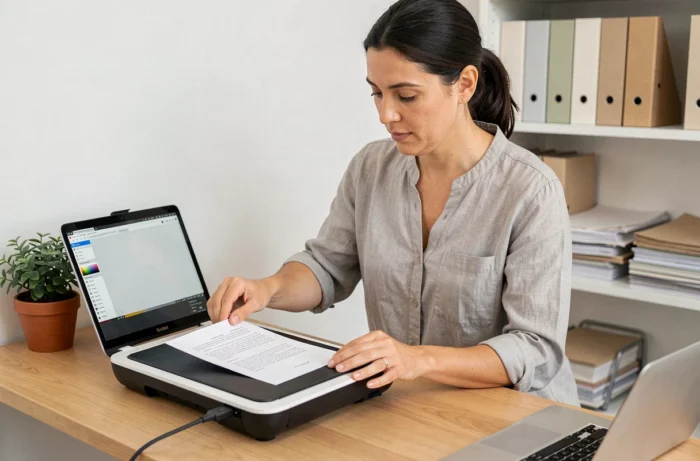
You have just connected a scanner or opened your phone’s camera to capture an invoice. The image is there, but the text remains stuck in an unusable image file. Choosing the right scanning software is precisely what transforms this image into a usable, searchable, and shareable PDF document.
The choice is no longer limited to scan quality: in 2026, the software’s ability to understand and classify your documents weighs as much as the clarity of the capture.
OCR, IDP, local AI: understanding what scanning software really does
Before comparing software names, it’s essential to distinguish three levels of functionality. The first, the most basic, involves producing a digital image of your paper document. Any scanning app on a smartphone can do this.
The second level adds optical character recognition (OCR). The software detects the letters in the image and converts them into selectable text. You can then copy a passage, search for a keyword in the file, or extract an amount from an invoice.
The third level, towards which the market is shifting, is called intelligent document processing (IDP). OCR becomes one component among others. The software identifies the type of document (invoice, contract, payslip), extracts relevant data, and sends it to a business tool via an API. For personal use or a small organization, this third level is often overkill. For a company processing several hundred documents per month, it radically changes the game.
When evaluating software, ask yourself this question: do I simply need a clean PDF, or does the content need to be automatically classified and utilized? The answer points towards very different tools. A guide to identify the best scanning software for your context can save time on this step.

Resolution, output format, and scanner compatibility: technical criteria to check
The scanning resolution determines the readability of the final document. For administrative correspondence or an invoice, a resolution of 300 dpi is more than sufficient. Documents with fine details (technical plans, illustrations) require more.
Why does this matter so much? Because too low a resolution makes OCR less reliable. The software confuses characters, generates errors in the extracted text, and the file loses its utility. Conversely, consistently scanning at very high resolution produces large files that saturate your storage without real benefit.
Also, check the output formats offered. Searchable PDF (text embedded under the image) remains the most versatile standard. Some software also exports to DOCX, XLSX, or plain text, which facilitates direct reuse of the content.
Hardware and system compatibility
A high-performing software that does not recognize your scanner is useless. Manufacturer-specific solutions (software provided with an Epson, Canon, or Brother scanner) work perfectly with the associated hardware but rarely with others. Independent software generally manages the TWAIN or WIA protocol under Windows, making them compatible with most scanners on the market.
On mobile, the question is not the same: the camera acts as a sensor. Quality then depends on the software processing (automatic cropping, perspective correction, contrast enhancement).
- Check the list of compatible scanners before any purchase or subscription, especially if you are using an older model.
- Test the export in the format you use daily (PDF, DOCX, cloud integration) to avoid a manual conversion step.
- On mobile, compare automatic cropping and text clarity in real conditions (medium lighting, slightly crumpled document) rather than on a perfectly flat document.
Archiving and legal value: the criterion that comparisons overlook
Most guides compare software based on scan speed and OCR quality. Very few address the issue of the legal value of the scanned document. In plain terms: will your scanned PDF have the same legal weight as the original paper document?
The European regulation eIDAS 2 (EU 2024/1183), whose implementation extends until 2027, introduces new requirements for qualified electronic archiving and trust services. Specifically, if you scan contracts, accounting documents, or HR documents intended to replace original paper versions, the software (or the complete software chain) must be able to generate a traceable record compatible with a qualified archiving provider.
For an individual scanning their receipts, this point is secondary. For an accounting firm, a legal service, or an SME that destroys its paper archives after scanning, the lack of traceability makes the digitization legally fragile.
What this changes in your choice
Before selecting software, ask yourself if the scanned documents will ever serve as evidence (dispute, tax audit, audit). If the answer is yes, check that the software offers qualified timestamping or integrates with a certified electronic archiving service. This criterion effectively eliminates most free mobile applications.
Free or paid software: where to draw the line based on your volume
Free applications (Adobe Scan, Microsoft Lens, Genius Scan in basic version) cover occasional needs: scanning an administrative document, archiving a handwritten note, sending a receipt by email. Their OCR works adequately on standard printed documents.
As soon as the volume increases or you need advanced features (batch scanning, automatic classification, integration with a document management system), paid versions or specialized software become necessary. The cost is justified by the time saved on manual classification.
- Occasional use (a few documents per week): a free mobile app with integrated OCR is sufficient.
- Regular use in a professional context: prefer software compatible with your desktop scanner, offering direct export to your cloud storage or document management system.
- Intensive use with regulatory stakes: look for an IDP solution that includes qualified archiving and automatic classification.
The right scanning software is not the one that offers the most features, but the one whose features exactly match your document flow. A tool that is too simple will waste your time on manual steps. A tool that is too complex will remain underutilized, with a subscription that weighs for nothing. Start from your actual volume and the final destination of your files to sort through your options.